
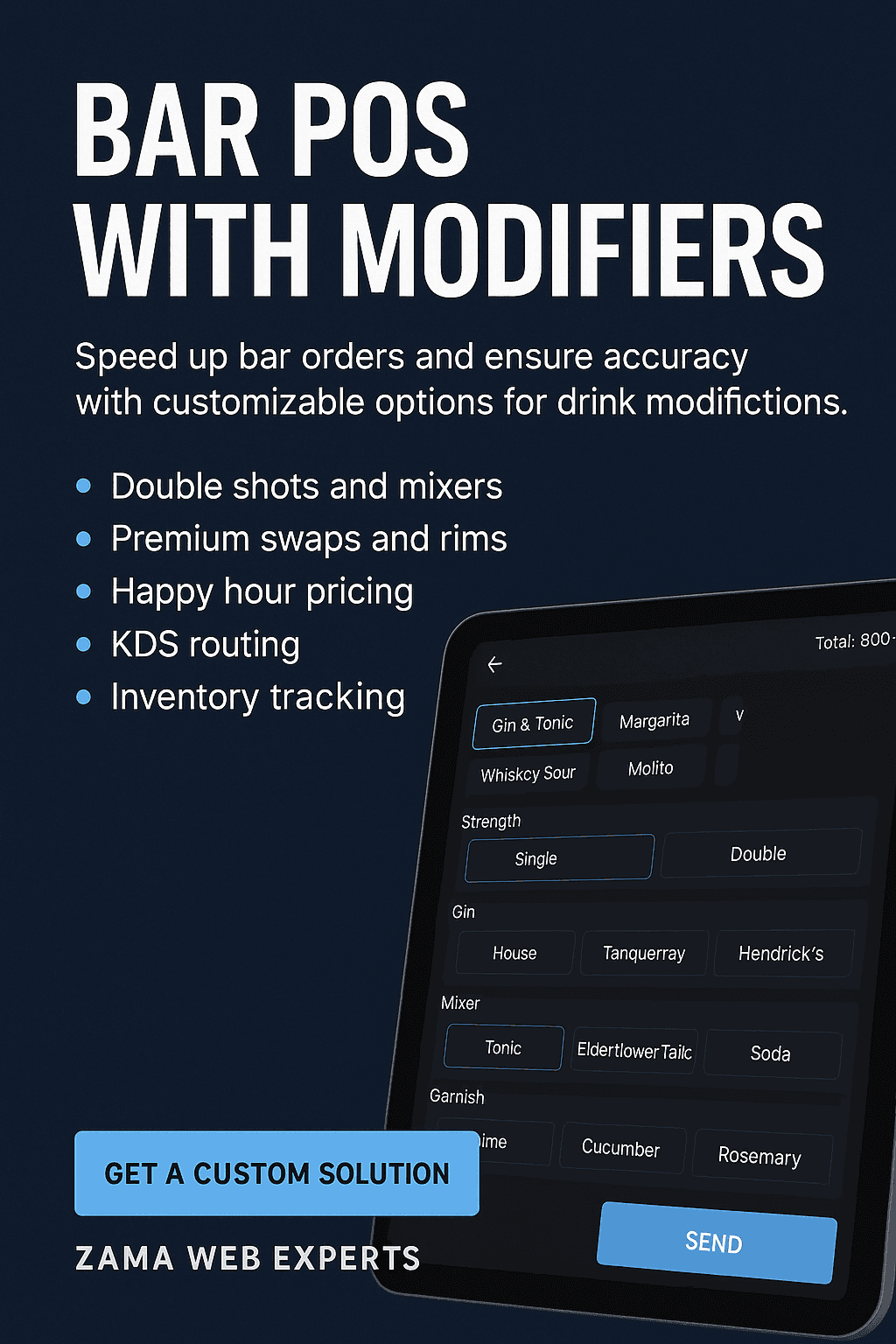
Running a busy bar means every second counts. A Bar POS with modifiers gives your bartenders fast, guided options—double shot, specific mixer, salt rim, no ice, garnishes, premium spirit swap, glass size—so each order is built correctly, priced correctly, and sent to the right station without back-and-forth. For owners and managers, modifiers connect directly to recipe costing, stock deduction, upsells, discounts, and reporting so you can sell more, waste less, and protect margins, even on the busiest nights.
At Zama Web Experts (zama.co.ke), we design and implement custom bar POS with modifiers that match how your bar really works—menu logic, combo rules, happy-hour schedules, M-Pesa payments, KOT/BOT printing, and KDS screens—so staff are faster and guests get exactly what they asked for.
What Is a “Bar POS with Modifiers”?
A modifier is a structured option attached to a menu item that changes its recipe, price, or preparation. In bar service, common modifier groups include:
Strength & Size: single, double, treble; small, regular, large
Spirit/Mixer Choice: Gordon’s, Tanqueray, Hendrick’s; tonic, ginger ale, soda
Preparation: on the rocks, neat, no ice, top-up, shaken, stirred
Rim & Garnish: salt rim, sugar rim, lemon wedge, lime twist, olives
Premium Swap/Upsell: house vodka → Grey Goose (+KES), house tequila → Don Julio (+KES)
Sugar & Bitters: less sugar, extra bitters, simple syrup
Mocktail Variant: alcohol-free swap at reduced price
A Bar POS with modifiers makes all these choices tap-fast and rule-driven, so the final ticket lines up with your price rules and bar workflow.
Why Modifiers Matter for Bars
Accuracy at Pace: Guided options reduce mistakes when music is loud and queues are long.
Higher Average Order Value: Built-in upsells: premium spirits, double shots, add a garnish flight.
Menu Flexibility: Quickly add seasonal garnishes, limited-time syrups, or promo bundles.
Cost Control: Each modifier updates the recipe cost and deducts exact stock from inventory.
Cleaner Reporting: See which modifiers drive profit—e.g., premium gin swaps vs. double shots.
Key Features of a High-Performance Bar POS with Modifiers
1) Modifier Groups & Rules
Required vs Optional: e.g., “Choose a mixer” (required), “Add garnish” (optional).
Single-select vs Multi-select: Only one mixer, but multiple garnishes.
Dependencies & Exclusions: “Salt rim” only allowed if glass type is “margarita”; “no ice” excludes “on the rocks.”
Pricing Rules: Flat add-ons (+KES 150 for double shot) or percent uplift (e.g., +15% for premium swap).
2) Speed-First Bartender UI
Favorites/Speed Keys: Top sellers on the first screen (Gin & Tonic, Negroni, Old Fashioned, Whisky Double).
One-tap Modifiers: Tapping “Double” instantly adjusts price and recipe deduction.
Search & Scan: Quick name search; optional barcode/QR for bottled beers or cans.
Dark Mode & Large Targets: Comfortable visibility in low-light bar settings.
3) Kitchen/Bar Printing & KDS
Routing: Cocktails → Cocktail station printer/KDS; Coffee martinis → Espresso bar; Food sides → Kitchen.
Ticket Grouping: One guest’s order prints together; mods bolded for clarity.
KDS (Kitchen Display System): Digital queue with prep timers, bump, recall, and ticket audit.
4) Recipe Costing & Inventory
Ingredient-Level BOM: Each item and modifier carries measurable units (ml, slices, wedges).
Auto-Deduction: “Double shot” deducts 60 ml instead of 30 ml; “lime wedge” deducts 1 wedge from produce.
Par Levels & Low-Stock Alerts: Know when premium tequilas or syrups are running low.
Waste & Spillage Logging: Track comps, re-makes, and spillage to plug profit leaks.
5) Happy Hour & Promotional Pricing
Schedules: Day/time rules (e.g., Mon–Thu 5–7pm).
Conditional Discounts: “Double for price of single” or half-price garnishes during promo.
Bundles/Combos: Beer + tequila shot; Gin + tonic can; Wine + snack board.
6) Payments & Tips
Multiple Tenders: Cash, cards, mobile money (M-Pesa), gift vouchers.
Smart Tips: Fixed (KES 100/200) or percentage (5/10/15%) prompts on card/mobile.
Tab Management: Open tabs, split bills by seat/item, transfer between bar and table.
7) Compliance & Tax (configure per region)
Tax Groups: Service charge vs VAT; tax-inclusive or exclusive menus.
e-Receipt/E-invoice Options: Email/SMS receipts, customer name capture for invoicing.
8) Multi-Venue & Cloud
Head Office Controls: Centralized price lists, modifier catalogs, product pushes.
Role-Based Access: Manager overrides, discount ceilings, cash-up permissions.
Real-Time Dashboards: Sales heatmaps, top modifiers, pour cost variance.
Example: Modifier Workflow for a Classic G&T
Item: Gin & Tonic
Base recipe: 30 ml house gin + 200 ml tonic + ice + lime wedge
Modifier groups:
Strength: Single (default), Double (+KES 150, +30 ml gin)
Gin Brand: House (default), Tanqueray (+KES 120), Hendrick’s (+KES 200)
Mixer: Tonic (default), Ginger Ale, Soda
Preparation: On the rocks (default), No ice
Garnish: Lime (default), Cucumber (+KES 30), Rosemary (+KES 30)
POS result: Staff taps Gin & Tonic → Double → Hendrick’s → Tonic → Cucumber
Price auto-updates (+KES 150 + KES 200 + KES 30).
Printer/KDS ticket prints: “G&T – DOUBLE, Hendrick’s, Tonic, +Cucumber.”
Inventory deducts: 60 ml gin, 1 bottle/can tonic (or partial if metered), 1 cucumber slice.
Advanced Pricing Strategies with Modifiers
Premium Swaps: Offer a curated ladder (House → Tanqueray → Hendrick’s → Monkey 47), each with margin-optimized add-ons.
Flavor Boosters: Syrups, bitters, and garnishes priced as micro-upsells (KES 30–80).
Time-Based Rules: Weekday happy hour; student nights; “Sunday Aperitivo” specials.
Conditionals: “Double shot” discount only when mixer is tonic; or “premium swap” disables “double” to protect cost.
Inventory & Costing Best Practices
Standardize Pour Sizes: Define 30 ml, 45 ml, 60 ml measures and map to glassware.
Map Every Modifier: Even “no ice” changes dilution and perceived value—track what matters.
Update Yields: Citrus wedges per fruit, olives per jar, syrup ml per bottle.
Count High-Value SKUs Nightly: Premium spirits, bitters, syrups.
Analyze Variance: Compare theoretical vs actual usage; investigate outliers.
Hardware Setup for Bars
Touch Terminals or iPads with splash-resistant stands.
Bluetooth/Network Printers for bar, service pass, kitchen.
KDS Tablets/Screens at cocktail and food stations.
Cash Drawer + Scanner (optional) for bottled items and quick scans.
Integrated Card/Mobile Payments (M-Pesa, card readers).
Reporting That Owners Love
Top Modifiers by Revenue & Margin: Which upsells actually move the needle?
Happy Hour Lift: Revenue and footfall delta vs non-promo hours.
Shrink & Waste: Free pours, comps, remakes, and line-void reasons.
Staff Speed Metrics: Average ticket build time, KDS bump times.
Menu Engineering: Stars, puzzles, plow horses, dogs—at the modifier level.
Implementation Plan (Zama Approach)
Menu & Flow Audit: We observe service, note real-world shorthand, and build your modifier trees.
Recipe & Costing Setup: Ingredient BOMs, pour sizes, garnish yields, premium ladders.
Pricing & Promos: Happy hour windows, daypart rules, bundle logic.
Hardware & Network: Printers, KDS routing, offline-safe caching.
Pilot & Training: Staff drills for speed keys, upsell prompts, and error recovery.
Go-Live & Optimize: Tweak based on real sales data, trim dead modifiers, push profitable swaps.
Prefer a custom build? We deliver bespoke Bar POS with modifiers for single sites or multi-venue groups, integrated to your payments, accounting, and stock systems.
Who Benefits Most?
High-Volume Cocktail Bars that need strict recipe control and fast routing.
Hotel Bars & Nightclubs with multiple stations and premium upsell ladders.
Microbreweries & Taprooms with size modifiers, flights, and seasonal rotations.
Restaurants with Busy Bars needing clean bar/kitchen separation and shared reports.
FAQs: Bar POS with Modifiers
1) What is a Bar POS with modifiers?
It’s a point-of-sale system that lets staff attach structured options—like double shots, mixer choice, garnishes, or premium swaps—to a base drink. The system updates price, prints clear tickets, and adjusts stock automatically.
2) Can I force certain choices (e.g., mixer must be selected)?
Yes. Use required modifier groups with single-select rules (e.g., choose one mixer) and optional groups for add-ons.
3) How do modifiers affect inventory?
Each modifier carries a recipe impact (ml/slices/units). When selected, the POS deducts those amounts so your stock, pour cost, and variance are accurate.
4) Will it slow down my bartenders?
No—the UI is designed with speed keys, favorites, and one-tap options. Most tickets need <3 taps for common builds.
5) Can I automate happy hour pricing?
Yes—create time/day schedules and conditional rules (e.g., discount doubles on weekdays 5–7pm only).
6) What about payments and tips?
Accept cash, cards, and mobile money. Smart tip prompts (KES or %) increase staff earnings without friction.
7) Do I need new printers?
We support common network/Bluetooth printers. We’ll map routing so cocktails go to bar, food sides to kitchen, etc.
8) Can I run multiple bars/locations?
Yes—cloud dashboards let you standardize modifier catalogs, pricing, and promos across venues.
9) How fast can we go live?
Typical deployments are phased: menu mapping, hardware, pilot shift, then full go-live. We’ll propose a timeline after your audit.
10) Can you integrate with accounting or e-commerce?
Yes—exports/APIs for inventory, accounting, and online menus are available. We’ll align with your stack.
On-Page Content Outline (for editors)
H1: Bar POS with Modifiers
Intro: Value proposition and pain points
H2: What Are POS Modifiers?
H2: Why Modifiers Matter
H2: Core Features (Groups/Rules, UI, Printing/KDS, Inventory, Promos, Payments, Compliance, Multi-venue)
H2: Example Workflow (G&T)
H2: Pricing Strategies
H2: Inventory & Costing Best Practices
H2: Hardware Setup
H2: Reporting
H2: Implementation Plan
H2: Who Benefits
H2: FAQs
CTA
Internal Linking Suggestions (zama.co.ke)
/pos-systems-kenya – general POS solutions page
/restaurant-pos-kenya – restaurant & bar POS overview
/inventory-management-software – recipe costing and stock control
/custom-software-development-kenya – bespoke POS & integrations
/contact – contact/quote
Strong CTA
Ready to serve faster and sell smarter? Get a custom Bar POS with modifiers tailored to your exact menu, stations, and promos.
Talk to Zama Web Experts: real-world bar workflows, quick staff training, and data-driven optimizations.
👉 Start your free menu audit today at zama.co.ke/contact
Short Snippet (for Featured Snippet/Intro Block,
A Bar POS with modifiers streamlines drink builds with one-tap options—double shots, mixers, garnishes, premium swaps—while updating price, printing/KDS tickets, and deducting inventory. Faster service, accurate costs, and higher margins for busy bars and cocktail venues.
Bar Modifier Taxonomy (Reference Template)
Use this as your master sheet when configuring the POS. Align each modifier to price, recipe (ml/slices/units), and printer/KDS routing.
Base Categories
Spirits: Vodka, Gin, Whisky, Tequila, Rum, Brandy
Beers & Ciders: Draft sizes (300/500 ml), Bottled/Canned
Wines: Glass (125/175/250 ml), Bottle, Carafe
Cocktails: Classics, Signatures, Mocktails
Coffee Bar: Espresso, Espresso Martini, Irish Coffee
Non-Alcoholic: Sodas, Juices, House Mixers
Standard Modifier Groups
Strength/Size: single / double / treble
Brand Swap: House → Premium A → Premium B
Mixer: tonic / ginger ale / soda / cola / lemonade
Preparation: neat / on the rocks / no ice / shaken / stirred / top-up
Garnish/Rim: lime / lemon / orange peel / cucumber / rosemary / salt rim / sugar rim
Sweetness/Bitters: less sweet / normal / extra bitters
Mocktail Variant: alcohol-free base (price downshift)
Glassware: highball / coupe / rocks / margarita (controls rim options)
Tip: Keep each group to 3–6 options for speed; push premium upsells into their own “Brand Swap” group for clarity.
Example Modifier Trees (Copy/Paste)
1) Margarita
Strength: Single (0), Double (+KES 150)
Tequila: House (0), Espolòn (+KES 150), Don Julio (+KES 300)
Rim: Salt rim (0), Sugar rim (0), No rim (0)
Preparation: Shaken (0), On the rocks (0), No ice (0)
Garnish: Lime wedge (0), Dehydrated orange (+KES 30)
Inventory links: tequila (ml), triple sec (ml), lime juice (ml), simple syrup (ml), salt (g), garnish (unit)
2) Old Fashioned
Whisky: House Bourbon (0), Bulleit (+KES 200), Woodford (+KES 300)
Sweetener: Simple syrup (0), Demerara (+KES 20)
Bitters: Angostura (0), Orange bitters (+KES 20)
Garnish: Orange peel (0), Luxardo cherry (+KES 60)
Inventory links: whisky (ml), syrup (ml), bitters (dashes), garnish (units)
3) Gin & Tonic
Strength: Single (0), Double (+KES 150)
Gin: House (0), Tanqueray (+KES 120), Hendrick’s (+KES 200)
Mixer: Tonic (0), Elderflower tonic (+KES 40), Soda (0)
Garnish: Lime wedge (0), Cucumber (+KES 30), Rosemary (+KES 30)
Comparison: Generic POS vs Zama’s Bar POS with Modifiers
| Capability | Generic POS | Zama Bar POS with Modifiers |
|---|---|---|
| One-tap double/premium swap | Partial | Full with recipe & price rules |
| Modifier dependencies/exclusions | Basic | Advanced (glass/rim/prep logic) |
| Inventory deduction by modifier | Usually no | Ingredient-level (ml/slice/dash) |
| KDS/Printer routing by station | Limited | Per item & modifier route |
| Happy hour + conditional promos | Often manual | Scheduler + rule engine |
| Real-time dashboards | Basic totals | Modifier-level margin & lift |
| Multi-venue control | Add-ons | Native catalogs & price lists |
| Payments (cash/card/mobile) | Varies | Cash, card, mobile money ready |
| Staff speed UX (dark mode) | Mixed | Optimized for low-light bars |
Implementation Checklist (Go-Live in 10 Steps)
Menu Audit: List 80/20 sellers + premium ladder per spirit.
Define Measures: 30/45/60 ml, glass sizes, standard garnishes.
Build Trees: Strength → Brand Swap → Mixer → Prep → Garnish.
Map Pricing: Flat (+KES) or % uplift; happy hour deltas.
Recipe BOM: ml/slices/dashes for each item & modifier.
Printer/KDS Routing: Bar, cocktail, coffee, kitchen.
Roles & Permissions: Manager overrides, discount ceilings.
Hardware Layout: Terminals, printers, KDS screens, network.
Staff Drills: 30-minute tap training + upsell prompts.
Pilot & Tuning: Trim slow modifiers, boost profitable upsells.
KPI Dashboard: What to Track Weekly
Avg. Order Value (AOV) and Modifier Attach Rate (doubles/premium swaps).
Happy Hour Lift: revenue vs baseline hours.
Pour Cost % by category and by modifier.
Waste/Comps/Remakes with reasons.
Speed Metrics: ticket build time, KDS bump time.
Top 10 Upsells by revenue and margin delta.
Out-of-Stock Hits: items blocked by missing modifiers.
Pricing Models (Guidance)
Starter (Single Venue): Setup + training + menu mapping; monthly support.
Growth (Multi-Station): Starter + KDS + promo scheduler + dashboards.
Group (Multi-Venue): Central catalogs + venue overrides + HO analytics.
We’ll propose a plan after the quick menu audit—pay only for what you need now, upgrade as you scale.
Staff SOP (Excerpt to Print Near the Bar)
Tap the base drink.
Tap Strength (default Single; choose Double if requested).
Tap Brand Swap only when guest asks for premium.
Tap Mixer (required) and Preparation.
Add Garnish or Rim if requested (or house default).
Confirm ticket, send to Bar/Kitchen (auto-routes).
Collect payment (cash/card/mobile) or park to Tab.
Integration Notes (Tech)
Cloud Admin: Central modifiers catalog, price lists, and schedules.
Edge Terminals: Offline-safe order queue; auto-sync on reconnect.
API & Exports: Nightly sales/COGS exports for accounting; inventory sync.
Security: Role-based access; audit for voids/discounts; printable shift reports.
Local SEO Enhancers (On-Page Ideas for zama.co.ke)
Add city variants in body copy: “bar POS with modifiers in Nairobi, Mombasa, Kisumu.”
Include a short “Vendors we integrate with” list (payments, printers) you actually support.
Add a case study snippet: “Reduced pour cost by 3% after enforcing double-shot pricing rules.”
Embed a booking CTA above the fold and after FAQs.
Extended FAQs
11) Can I restrict certain modifiers to a glass type?
Yes. Use dependency rules so “Salt rim” appears only for margarita glass.
12) How do I prevent margin loss on doubles?
Set a minimum price delta (e.g., +KES 150) and optionally disable premium swaps when “Double” is chosen.
13) Can I run staff competitions on upsells?
Yes—report modifier attach rate per user; run weekly leaderboards.
14) What if internet drops?
Terminals cache open orders; printers on local network continue routing. Sync resumes automatically.
15) Can we print allergen indicators?
Add flags to recipes (e.g., egg/cream/nuts). Tickets can show ALLERGEN: NUTS.