
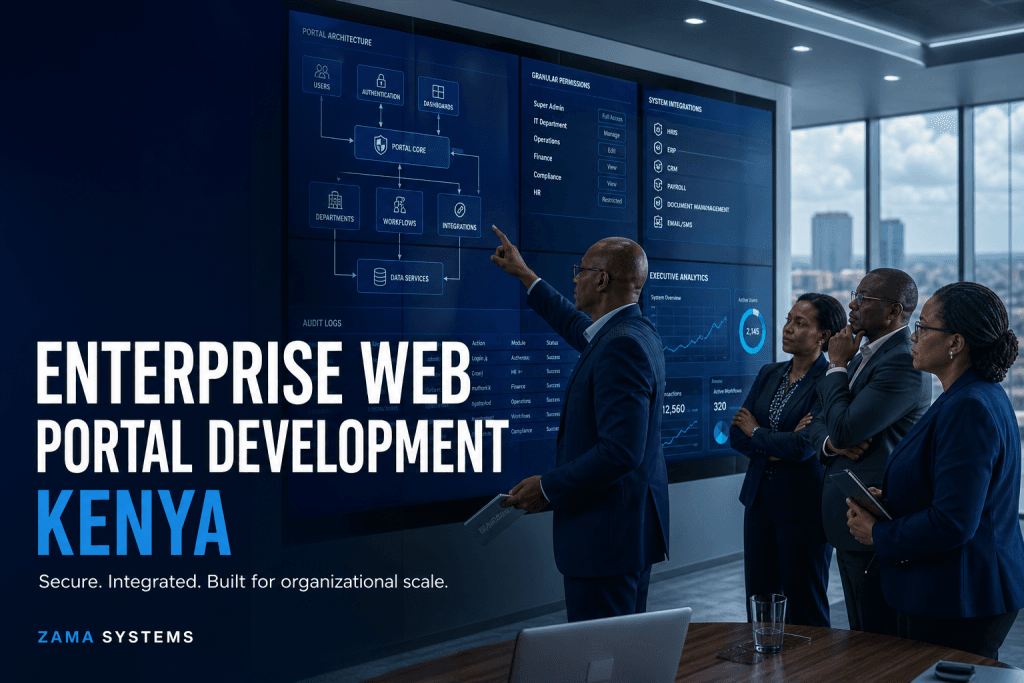
Enterprise Web Portal Development Kenya: Secure Systems for Complex Organizations
enterprise web portal development is a decision-stage search made by large companies, institutions, NGOs and multi-branch organizations with complex users, approvals, integrations and reporting obligations. The buyer is not simply looking for technology. They need a team that can understand the operation, reduce project risk and deliver a system people will actually use.
The central problem is departmental tools and spreadsheets cannot provide consistent access control, cross-team workflows, auditability or enterprise-wide visibility. Zama Systems addresses this through an enterprise portal architecture that connects departments while enforcing security, governance, performance and reliable reporting.
What businesses are trying to achieve
Most organizations begin this search after manual work becomes expensive or risky. Staff may be copying information between files, following up approvals through messages, preparing reports by hand or answering the same customer questions repeatedly. The visible problem is inefficiency, but the deeper issue is the absence of one controlled operational workflow.
A successful project should improve turnaround time, record accuracy, accountability, customer experience and management visibility. These outcomes must be agreed during discovery so the project is measured by operational value rather than by the number of screens delivered.
Core capabilities to include
- single sign-on readiness
- granular permissions
- multi-department workflows
- integration architecture
- audit logs
- data governance
- high-volume reporting
- scalable deployment
How Zama approaches enterprise web portal development
1. Business discovery
We document the users, records, decisions, approvals, exceptions, integrations and reports involved. This prevents the project from becoming a collection of disconnected feature requests. Discovery also identifies what should be automated first and what can wait for a later phase.
2. Workflow and role design
Every user should see the correct information and actions. We map administrators, managers, finance teams, operational staff, customers and external partners, then define their permissions. Clear responsibility reduces confusion and supports auditability.
3. Architecture and integration planning
The platform must fit the organization’s wider technology environment. We plan databases, APIs, payment services, notifications, identity controls, reporting and deployment before development becomes expensive to change.
4. Incremental development
The highest-value workflow is built and reviewed in structured milestones. Stakeholders see working progress, verify assumptions and correct gaps before launch. This is safer than waiting until the end to discover that a critical process was misunderstood.
5. Testing, launch and adoption
Testing covers permissions, workflows, integrations, calculations, usability and failure cases. Launch planning includes data preparation, user guidance, monitoring and support. Adoption matters because unused software produces no business return.
Questions to ask before choosing a provider
- Can the team explain our workflow in operational language?
- How will roles, permissions and sensitive information be protected?
- Which integrations are included and who owns external service costs?
- How will requirements, changes and acceptance be documented?
- What reporting will management receive?
- How will data be migrated and validated?
- What happens after launch?
- Can the provider show relevant live systems or accountable delivery leadership?
Common implementation mistakes
Automating a broken process without reviewing it
Software can make a poor process happen faster. Remove unnecessary steps, clarify decision rights and standardize key records before encoding the workflow.
Starting with every requested feature
An oversized first phase increases cost and delays feedback. Start with the workflow that produces the clearest operational value, then expand using real usage evidence.
Ignoring exceptions
Real operations include rejected payments, incomplete records, delayed approvals, changed orders and unavailable integrations. The system needs safe exception queues and escalation paths, not only ideal success flows.
Underestimating reporting
Managers need decisions, not raw data. Define key indicators, drill-down needs, date filters, exports and access rules early enough for reporting to shape the data model.
Security and accountability
Business platforms should apply least-privilege access, secure authentication, protected data transmission, backups and audit records. Sensitive actions should be attributable to a user and time. Security decisions should reflect the data, users, integrations and organizational risk rather than relying on a generic checklist.
How to prepare for a useful quotation
List the user groups, current tools, main delays, records handled, approvals required, reports needed and systems that must connect. Include expected user numbers, branches, transaction volumes, rollout deadline and any compliance requirements. This allows a provider to estimate the real system rather than pricing an undefined idea.
A good proposal should separate discovery, design, development, integrations, migration, deployment and support. It should also state assumptions and exclusions so comparisons between providers are meaningful.
Business case and return on investment
The business case should compare the current cost of delays, repeated work, errors, poor collections, weak customer service and limited reporting against the expected value of the new workflow. Useful baseline measures include processing time, number of manual handoffs, error rates, outstanding transactions, support enquiries and hours spent preparing reports.
Benefits may come from faster turnaround, fewer corrections, better payment visibility, stronger accountability, easier customer self-service and management decisions made from current information. Not every benefit is immediate cash savings, but each expected outcome should have an owner and a way to measure progress after launch.
Recommended phased rollout
Phase one: establish the core workflow
Launch the essential records, roles, approvals and reports needed to replace the most painful manual process. Keep the initial scope controlled enough for users to adopt and stakeholders to evaluate.
Phase two: connect integrations and self-service
Add payment services, external APIs, automated notifications and customer or partner access after the core data and responsibilities are stable.
Phase three: optimize using usage evidence
Review support requests, incomplete transactions, approval delays and reporting needs. Improve the platform using evidence from real operations rather than assumptions made before launch.
Why work with Zama Systems?
Zama Systems builds secure portals, SaaS platforms, mobile applications, M-Pesa workflows, integrations and custom business systems for Kenyan organizations. Our work begins with the day-to-day operational problem and continues through architecture, development, testing, deployment and long-term support.
We focus on systems that replace fragmented spreadsheets, manual approvals, repeated follow-up and disconnected reporting with one practical digital workflow.
Frequently asked questions
How long does a custom system project take?
The timeline depends on discovery, number of roles, workflow complexity, integrations, migration, testing and rollout. A focused initial phase can launch earlier than a project attempting every possible module at once.
Can an existing system be integrated?
Often yes, provided the existing platform exposes a suitable API or data exchange method. Integration discovery should confirm authentication, data ownership, limits, error handling and support responsibility.
Can the platform grow after launch?
Yes. A modular architecture can support new departments, roles, workflows, reports and integrations. Future growth should be considered during the initial data and permission design.
Does Zama provide maintenance?
Yes. Support can include monitoring, security updates, backups, fixes, user assistance, integration maintenance and planned improvements after launch.
How do we begin?
Prepare a short description of the operational problem, current workflow, users and desired outcome. Request a proposal from Zama Systems to arrange discovery and define the most practical first phase.