

Complete Guide to Dispatch, Work Orders & Technician Tracking
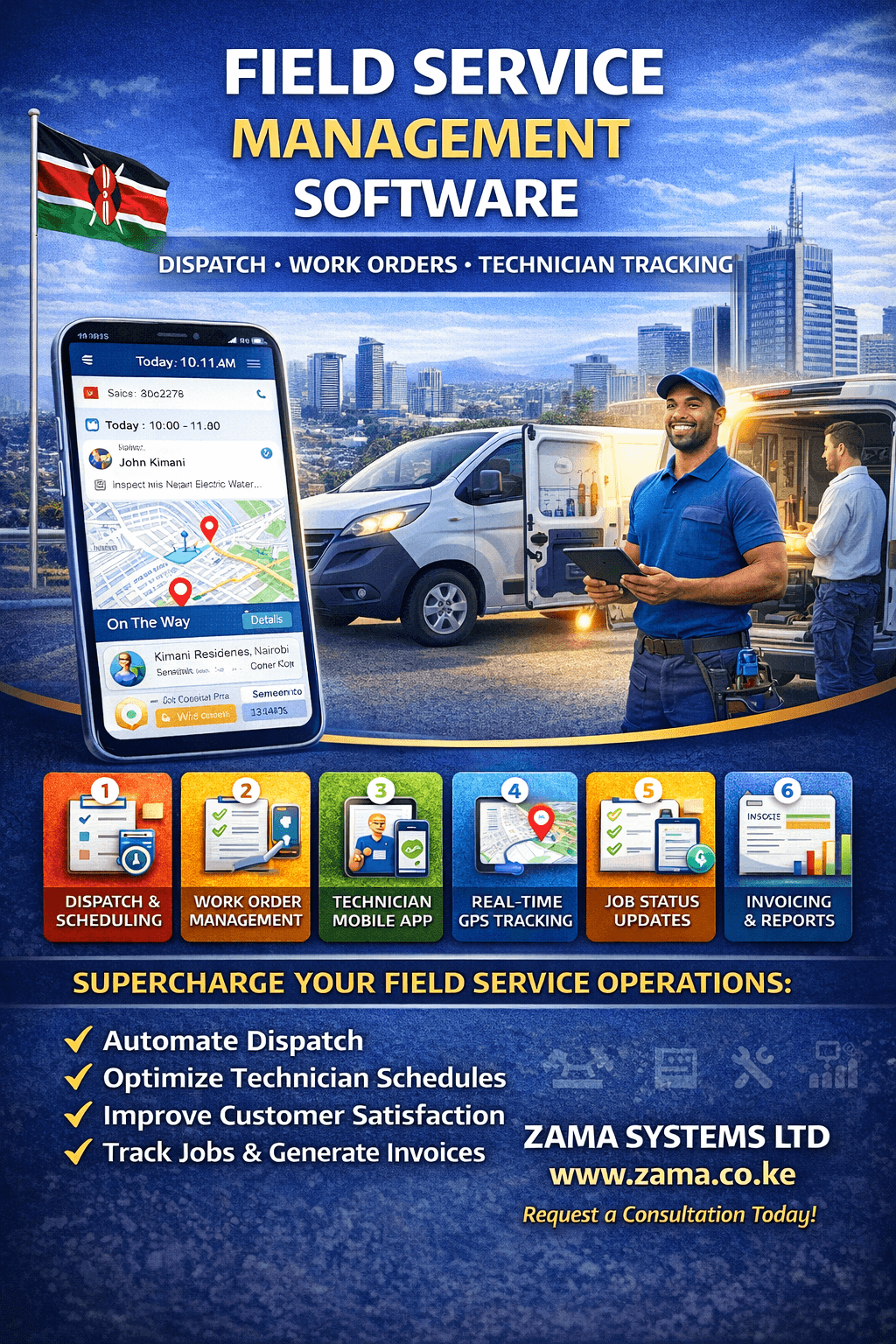
In today’s service-driven economy, speed, coordination, and accountability define success. Whether you manage installation teams, maintenance engineers, repair technicians, or inspection staff, Field Service Management Software (FSM Software) transforms how you operate.
Manual coordination through phone calls, spreadsheets, and paper forms leads to delays, missed appointments, and revenue leakage. A structured digital system centralizes operations, improves technician productivity, and enhances customer satisfaction.
This comprehensive guide explains everything about field service management software, how it works, core features, benefits, and why businesses need it.
What Is Field Service Management Software?
Field Service Management Software is a digital platform that helps businesses manage:
Work orders
Technician dispatch
Service scheduling
Job tracking
Customer communication
Inventory usage
Billing and payments
Performance reporting
It connects office teams with field technicians in real time.
Why Businesses Need Field Service Management Software
Companies offering services such as:
Appliance installation
Equipment maintenance
Plumbing services
Electrical repairs
Construction site supervision
HVAC servicing
Telecom installation
IT support services
Need a structured system to coordinate technicians efficiently.
Without FSM software, businesses face:
Missed appointments
Double bookings
Poor communication
Lost paperwork
Customer dissatisfaction
Revenue tracking issues
Digital management solves these challenges.
Core Features of Field Service Management Software
1. Work Order Management
Create service requests
Assign priority levels
Attach job details and instructions
Upload documents and photos
Track job progress
Work orders move from “Pending” to “Completed” with full visibility.
2. Technician Dispatch & Scheduling
Manual or automated job assignment
Smart technician matching based on location
Calendar-based scheduling
Emergency dispatch handling
Route planning integration
This reduces travel time and increases job completion rate.
3. Mobile App for Technicians
Technicians can:
Receive job notifications
View service history
Update job status
Capture customer signature
Upload photos before & after service
Record parts used
Collect payments
The mobile app ensures real-time synchronization.
4. Real-Time Tracking
Management can monitor:
Technician location
Active job status
Estimated arrival times
Service duration
Route efficiency
This improves operational control.
5. Customer Management Module
Store:
Customer profiles
Service history
Maintenance schedules
Previous invoices
Communication logs
Better customer records improve long-term relationships.
6. Inventory & Parts Tracking
Track:
Spare parts usage
Warehouse stock levels
Low-stock alerts
Parts assigned per technician
Job-based material costs
This reduces inventory losses.
7. Billing & Payment Integration
Generate invoices automatically
Accept M-Pesa or digital payments
Track outstanding balances
Automate billing after job completion
Financial integration improves cash flow.
8. Reports & Performance Analytics
Measure:
Technician productivity
Job completion time
Revenue per technician
Customer satisfaction rates
Service response time
Repeat service frequency
Data-driven decisions improve growth.
Benefits of Field Service Management Software
Increased Efficiency
Automated dispatch reduces delays.
Improved Accountability
Digital job tracking prevents disputes.
Better Customer Experience
Real-time updates improve transparency.
Reduced Paperwork
Everything is stored digitally.
Faster Billing
Invoices are generated automatically.
Scalable Operations
Manage 5 technicians or 500 with ease.
Industries That Use Field Service Management Software
Home appliance installation companies
Telecom installation providers
Solar system installers
Maintenance contractors
Construction companies
IT service providers
HVAC service companies
Security system installers
Cleaning & sanitation services
Any business managing field technicians benefits from FSM software.
Field Service Management vs Manual Coordination
| Manual System | FSM Software |
|---|---|
| Phone-based dispatch | Automated assignment |
| Paper job sheets | Digital work orders |
| No GPS tracking | Real-time technician tracking |
| Manual invoicing | Automated billing |
| Limited reporting | Detailed analytics |
| Hard to scale | Scalable infrastructure |
Technology increases operational discipline.
Advanced Features for Enterprise-Level Operations
Modern FSM platforms can include:
Multi-branch management
Escrow-based milestone payments
SLA tracking
Warranty management
Recurring maintenance scheduling
Customer feedback modules
AI-based job assignment
Predictive maintenance analytics
These features support structured growth.
Integration Capabilities
Field Service Management Software can integrate with:
ERP systems
Delivery tracking systems
POS systems
Inventory management software
CRM platforms
Accounting software
Cloud infrastructure
Multi-branch management systems
This creates a unified operational ecosystem.
SEO Keywords Naturally Embedded
Field service software in Kenya
Technician dispatch software
Work order management system
Service management platform
Field technician tracking software
Maintenance management system
Service scheduling software
FSM system
Mobile field service app
The Future of Field Service Management Software
The next evolution includes:
AI-based technician matching
Predictive maintenance alerts
Smart scheduling optimization
IoT equipment integration
Automated customer satisfaction scoring
Smart route optimization
Businesses that adopt digital systems early dominate service markets.
Final Conclusion
Field Service Management Software is no longer a luxury — it is an operational necessity. It transforms chaos into coordination, improves technician productivity, increases customer satisfaction, and ensures financial transparency.
If your business manages field technicians, installations, repairs, or maintenance teams, investing in professional FSM software positions you for long-term success.
Technology does not replace technicians — it empowers them.
Advanced Field Service Management Software
Enterprise Architecture, Automation & Scalable Growth
A powerful Field Service Management Software (FSM Software) does more than assign jobs — it becomes the operational backbone of your service business. As companies grow, complexity increases. More technicians, more service requests, more customers, and higher expectations demand structured digital coordination.
Let’s explore deeper into advanced capabilities, architecture, and long-term strategy.
End-to-End Service Lifecycle Automation
Modern FSM software automates the complete service journey:
1️⃣ Service Request Intake
Requests can originate from:
Website booking forms
Customer portal
Call center entry
WhatsApp integration
API from ERP or CRM
All service requests are centralized automatically.
2️⃣ Smart Scheduling & Dispatch
The system can:
Assign technicians based on skillset
Match jobs by geographic proximity
Avoid schedule conflicts
Prioritize urgent service calls
Optimize routes to reduce travel time
Smart scheduling reduces delays and increases job completion rates.
3️⃣ On-Site Job Execution
Technicians use the mobile app to:
View service instructions
Record diagnostics
Upload photos
Log parts used
Capture customer signature
Collect digital payment
Mark job completion
Everything syncs instantly with the central dashboard.
4️⃣ Automated Billing & Invoicing
Once the job is completed:
Invoice is generated automatically
Payment link is sent to customer
M-Pesa or digital payment is recorded
Outstanding balances are tracked
This speeds up revenue collection.
5️⃣ Customer Feedback & Rating
The system can trigger:
Customer satisfaction surveys
Service rating forms
Follow-up notifications
Warranty reminders
Customer experience becomes measurable.
Technical Architecture of Field Service Management Software
A scalable FSM platform typically includes:
Cloud-Based Backend
Secure database
High availability hosting
API-driven infrastructure
Real-time synchronization
Technician Mobile Application
Android/iOS app
Offline mode capability
GPS tracking
Secure login authentication
Admin Web Dashboard
Role-based access
Multi-branch visibility
Performance analytics
Financial reporting
Customer Portal (Optional)
Service booking
Track technician arrival
View service history
Download invoices
Cloud architecture ensures scalability from small teams to national operations.
Multi-Branch Field Service Management
For businesses operating in multiple cities:
Each branch manages local technicians
Head office monitors all branches
Regional supervisors oversee zones
Consolidated performance reports are generated centrally
This structure prevents operational fragmentation.
Key KPIs Measured by FSM Software
Effective field service software tracks:
First-time fix rate
Average job completion time
Technician productivity
Service response time
Customer satisfaction score
Revenue per technician
Repeat service rate
These metrics drive performance optimization.
Integration Capabilities
Modern FSM systems integrate with:
Delivery tracking systems
Multi-branch management software
Inventory management platforms
CRM systems
ERP solutions
Accounting software
Escrow payment systems
Cloud infrastructure
Integration eliminates data silos.
Benefits of Enterprise-Level FSM Software
Operational Visibility
Management sees everything in real time.
Increased Technician Productivity
Automated scheduling reduces idle time.
Faster Revenue Collection
Billing is automated immediately after job completion.
Reduced Administrative Work
Paperwork and manual data entry are eliminated.
Improved Customer Retention
Structured service history improves follow-ups.
Scalable Growth
Open new branches without operational chaos.
Field Service Management vs Basic Scheduling Tools
| Basic Tools | FSM Software |
|---|---|
| Manual scheduling | Automated dispatch |
| No GPS tracking | Live technician tracking |
| Paper-based reports | Digital work orders |
| Manual billing | Automated invoicing |
| Limited reporting | Advanced analytics |
| Hard to scale | Cloud-based scalability |
Professional systems create structured operations.
Security & Data Protection
A reliable FSM platform must include:
Encrypted communication
Role-based access control
Secure cloud storage
Audit logs
Backup redundancy
Two-factor authentication
Customer and company data must be protected.
Common Challenges Solved by FSM Software
Missed appointments
Double-booked technicians
Lost job sheets
Untracked inventory usage
Cash reconciliation errors
Slow billing cycles
Poor service accountability
Automation eliminates operational chaos.
Future of Field Service Management
The next evolution includes:
AI-powered technician matching
Predictive maintenance alerts
IoT device integration
Automated SLA compliance tracking
Smart contract-based service payments
Voice-enabled technician reporting
Businesses that adopt advanced FSM technology gain a competitive advantage.
Strategic Importance for Growing Businesses
If your company plans to:
Expand to multiple cities
Increase technician workforce
Offer maintenance contracts
Provide installation services
Improve customer experience
Increase operational efficiency
A professional Field Service Management Software platform becomes a strategic investment.
Final Extended Conclusion
A Field Service Management Software system transforms field operations into a structured, data-driven, scalable business model.
It provides:
Real-time coordination
Technician accountability
Financial transparency
Customer satisfaction tracking
Performance optimization
Long-term scalability
In competitive service industries, efficiency and transparency determine success. FSM software ensures you deliver faster, operate smarter, and grow sustainably.
Implementation Guide: Deploying Field Service Management Software Successfully
Investing in Field Service Management Software (FSM Software) is a strategic decision — but proper implementation determines success. Even the most powerful system can fail without structured rollout and adoption.
Below is a practical roadmap for businesses planning to deploy FSM software.
Step 1: Operational Assessment
Before deployment, evaluate:
Number of technicians
Daily job volume
Service categories
Geographic coverage
Existing software systems
Billing workflow
Inventory management process
Understanding your operational structure ensures correct system configuration.
Step 2: Define Service Workflows
Map your service lifecycle:
How does a service request enter the system?
Who approves or schedules it?
How is a technician assigned?
What happens on-site?
How is proof of completion recorded?
When is billing triggered?
FSM software should reflect your real workflow, not force unrealistic processes.
Step 3: Configure User Roles & Permissions
Define access levels such as:
Super Admin
Operations Manager
Branch Manager
Dispatch Officer
Technician
Accountant
Customer Support
Role-based access improves accountability and security.
Step 4: Integrate Existing Systems
Your FSM platform should integrate with:
Accounting software
Inventory systems
Delivery tracking platforms
Multi-branch management software
CRM platforms
Payment gateways
Integration reduces manual data duplication.
Step 5: Technician Training
Technician adoption is critical.
Training should include:
How to receive jobs
How to update job status
How to capture photos
How to collect digital signatures
How to record parts used
How to process payments
User-friendly mobile apps increase adoption rates.
Step 6: Pilot Testing
Start with:
A single branch
A small technician group
Limited service categories
Monitor system performance and adjust configuration before full rollout.
Step 7: Monitor KPIs Post-Deployment
After launch, track:
Average job completion time
First-time fix rate
Technician productivity
Customer satisfaction
Billing cycle time
Service response time
Data helps refine operations.
Pricing Models for Field Service Management Software
FSM software may be offered as:
Monthly subscription (SaaS model)
One-time license purchase
Per technician pricing
Per branch pricing
Enterprise custom package
Businesses should choose a model aligned with growth strategy.
Cost-Benefit Analysis of FSM Software
Cost Considerations:
Software subscription
Customization
Integration
Training
Cloud hosting
Financial Gains:
Reduced operational delays
Faster billing cycles
Reduced fuel waste
Fewer customer disputes
Increased technician productivity
Lower administrative overhead
Most businesses recover investment quickly through efficiency improvements.
Field Service Management Software for Different Business Sizes
Small Service Teams (5–20 Technicians)
Simplified scheduling
Basic reporting
Mobile app tracking
Digital proof of service
Medium Businesses (20–100 Technicians)
Multi-branch management
Inventory tracking
Performance dashboards
Customer portal
Enterprise Operations (100+ Technicians)
AI dispatch optimization
SLA monitoring
Multi-region deployment
Predictive maintenance
Custom API integrations
The right FSM platform grows with your organization.
Common Implementation Mistakes to Avoid
Choosing cheap, non-scalable software
Skipping staff training
Not integrating billing systems
Ignoring mobile app usability
Failing to monitor performance metrics
Proper planning ensures long-term success.
Competitive Advantage of Digital Field Service
Businesses using professional FSM software benefit from:
Faster service turnaround
Higher customer trust
Accurate service documentation
Better financial control
Scalable expansion
Stronger technician accountability
In competitive markets, operational discipline defines leadership.
Digital Transformation & Service Automation
Field Service Management Software is often part of a broader digital strategy including:
Cloud infrastructure migration
Multi-branch management systems
Delivery tracking platforms
Escrow payment systems
ERP integration
Customer relationship management (CRM)
Connected systems create a powerful operational ecosystem.
Future Trends in Field Service Technology
The future includes:
AI-powered service prediction
Automated technician routing
IoT-based equipment monitoring
Smart maintenance alerts
Augmented reality support for technicians
Blockchain-based service verification
Early adopters gain strategic advantage.
Final Strategic Summary
A modern Field Service Management Software platform transforms your service operations from manual coordination into intelligent, data-driven execution.
It provides:
Structured scheduling
Real-time tracking
Digital work orders
Automated billing
Performance analytics
Multi-branch scalability
Long-term operational stability
Service businesses that embrace digital management outperform competitors, reduce operational risk, and scale sustainably.
If your organization depends on field technicians, installations, maintenance, or repair teams, FSM software is not an upgrade — it is infrastructure.
